
From the archive: this post is about the code behind the first steveshead.io, written in 2021-22. The site runs on Xavier now, so the code here is history rather than how things work today.
The digital store with product reviews is now live. I have end to end tested the store with the Paypal sandbox, and have since moved the Paypal function to live. There is one product in the store currently, and that is a poster that I created a while ago. I used a fairly innocuous product to keep testing simple. So far so good.
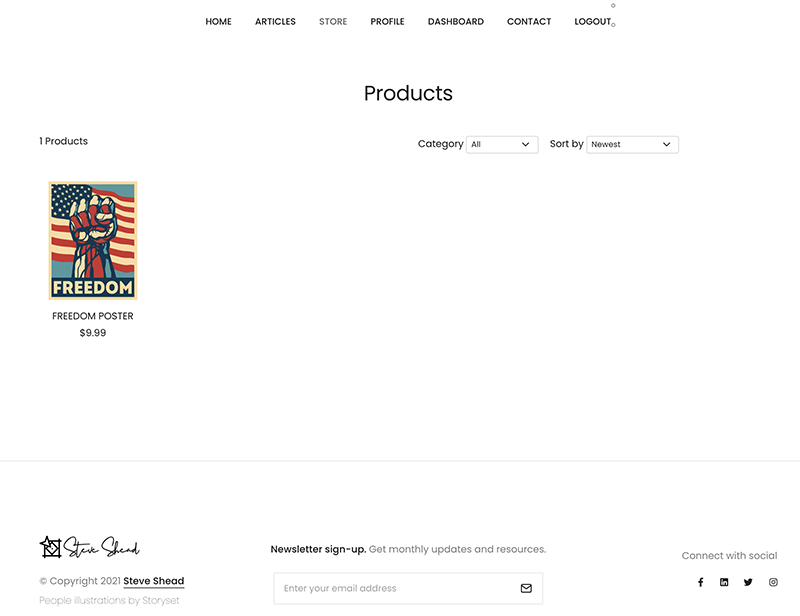
The image below is the products page. It's a little sparce since there is only one product, but you get the idea. The script displays six products in each row. Each product can have up to three images, as well as a retail price and a sales price. The page is sortable by newest, oldest, price, etc.
Part of making this secure was where I placed the files for download. The files are masked and the download directory is inaccesible from the web. The functionality that I have not yet created is randomizing the file names of the uploaded products. Currently I upload the products via sFTP - I would like to add functionality to upload the product zip file throug the admin panel. If you're reading this and you have ideas, please let me know - I'd be glad for the assist, and to learn.
The next image is the product page. As you can see you have some space for some blurb about the product, as well as selecting the quantity, and adding the item to your cart. Once in the cart the cart icon will show on the right side of the navigation bar.

When you click 'add to cart' you are taken to the cart page where you can change the quantity of the product and/or remove the product from your cart. You also have the opportunity to add a discount code. Discount codes are created from the admin panel and can be percentage discounts or dollar value discounts, and can be time boxed.
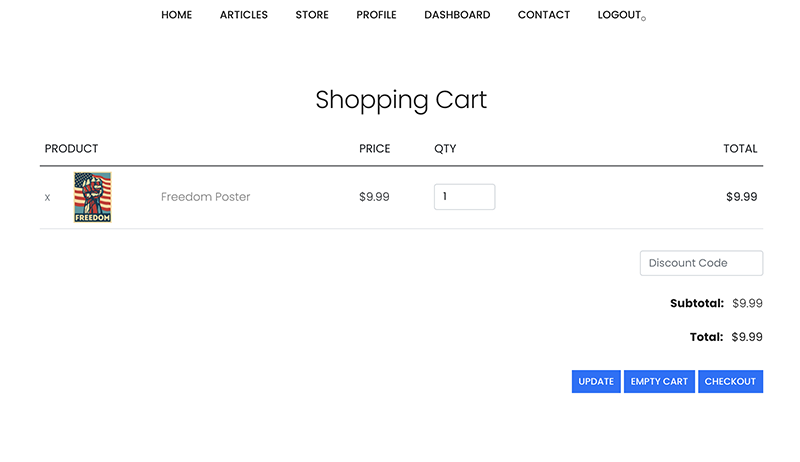
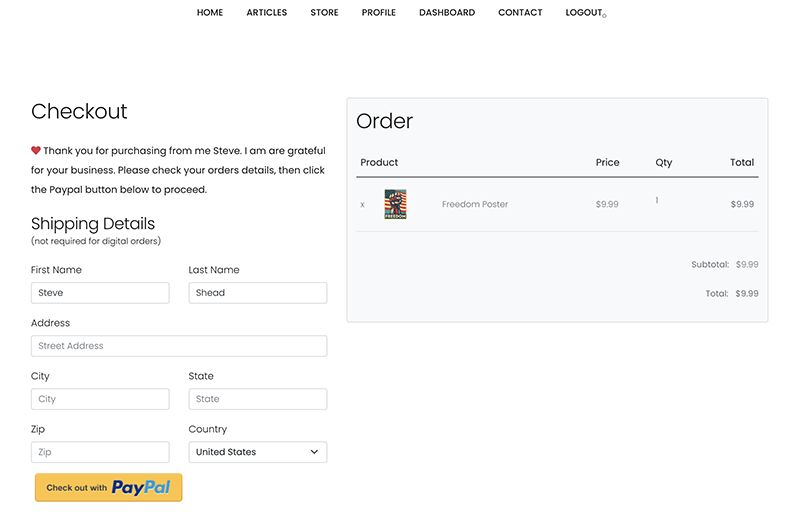
When you click 'checkout' you are taken to the checkout page. Here you are prompted to log in or create an account if you are not logged in, and you have the opportunity to update or remove the items in your cart before you checkout. Once you are happy with your proposed purchases you click the Paypal button and the transaction is processed.
Since this store is for digital products, once the transaction is complete the product transaction will show up in the users profile ('my orders' button), or the 'myaccount' page, with a download link. The download link does not expire. As long as the user has an account the product will be available to them.
I know I've over simplified the process of creating a digital store. It is quite complex with a lot of moving parts - but - so far it works. I'm still testing, and am willing to bet there are some issues here or there. I'll address those as they become apparent. If you find any please let me know!
To wrap up, I'm repeating this paragraph from the last post since it is pertinent. Part of the learning curve is finding issues along the way, as well as creating functionality that fails first time around. Part of the fun is fixing those issues, and I am always driven to see it through. Though it can be frustrating at times, once fixed I get a great sense of accomplishment.
This one failed on a number of different counts, one of which was attempting to test the IPN functionality on a local dev server. I should have thought through that Paypal cannot communicate with local development servers, and I lost a couple of days on that one. Why mention that? Mistakes are human - I don't fear mistakes - perhaps someone else will learn from my mistake - who knows.
Enough for now. As always, please let me know your thoughts and ideas.
Happy coding!
Cheers
~Steve



Comments
No comments yet - start the conversation.
Log in to join the conversation.
Log in Create an account